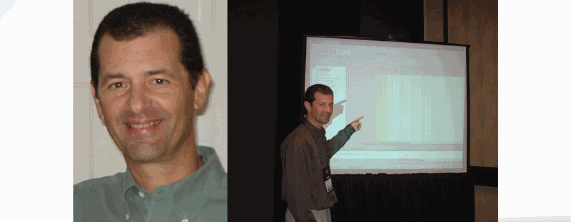
The first day of college my advisor asked me what I liked, and I said Math and Science. Math fit my schedule better, so I was a math major. When I took my first job, I started building (writing software) for a mathematically-based methodology based on Dijkstra's constructive approach, while borrowing concepts from Sir Tony Hoare. From that point forward, I would always think about building software from a mathematical point of view.
My second job involved developing safety-critical software for airplanes. Going through my first FAA certification, I realized that software verification would consume 70-75% of the cost and effort. This drove to the invention of T-VEC.
The challenge related to many of my past projects is the need to efficiently produce dependable and trusted software systems. We want to know if the software does what we want it to do (validation) and what it is specified to do (verification). At least two things make this increasingly difficult: 1) complexity, and 2) software is now becoming intelligent and will self-adapt.
Practical formal methods through the use of models, analysis, and tool automation has worked well for clients over the years. These projects add new technologies and methods to the mix to address the challenges.
I also find myself now leveraging Bayesian network models, because they have been very useful in combining what people know (subjective expertise) with quantified information or data to improve predictions and estimates for decision making.
Part of a team developing and delivering a new four course sequence on CPS. We have integrated a telepresence robot project throughout the four course sequence. The four courses are call:
- Course 1: Deciding What to Build & Why - Course 2: Ensuring Systems Work and Are Robust - Course 3: Implementation of CPS: Bringing Solutions to Life - Course 4: Managing Evolution...Deciding What's Next
I am the lead developer of Course 3, which covers lectures, exercises, and discussion:
- Design refinement, continuous implementation, integration, testing, analysis, and verification and validation (V&V) of cyber physical systems (CPS) - Understand and use techniques, methods and principles for testing and analysis - Apply robustness strategies for fault and failure tolerance of CPS in dynamic environments - Use host, simulation and physical systems resources for continuous and automated testing - Learn and use a constructive approach to produce V&V evidence, measures and traceability information given risk and time constraints
Principal Investigator on Phase IV (retitled): Systems Engineering Research Center Project: Transforming Systems Engineering through Model-Centric Engineering (NAVAIR)
Current Phase IV research plan to investigating challenge areas that include but are not limited to: - Cross-domain integration of models to address the heterogeneity of the various tools and environments - Model integrity to ensure trust in the model predictions by understanding and quantifying margins and uncertainty - Modeling methodologies that can embed demonstrated best practices and provide computational technologies for real-time training within digital engineering environments - Multidisciplinary System Engineering transformation roadmap that looks across: o Technologies and their evolution o How people interact through digitally enabled technologies and new needed competencies o How methodologies enabled by technologies change and subsume processes o How acquisition organizations and industry operate in a digital engineering environment throughout the phases of the lifecycle (including operations and sustainment) o Governance within this new digital and continually adapting environment Completed Phase I, II, III Summary
The scope of this effort is focused on assessing the technical feasibility of creating/leveraging a more holistic MBSE approach to support this vision of Mission-based Analysis and Engineering in order to achieve a 25% reduction in time. The research need includes the evaluational of emerging system design through computer models that can demonstrate system compliance to performance and design integrity requirements. The first phase of the effort (Phase 1) should assess the technical feasibility of moving to a “complete” model-driven lifecycle includes four tasks:
- Task 1: Surveying Industry, Government and Academia to understand the state-of the-art of a holistic approach to MBSE - Task 2: Develop a common lexicon for MBSE, including model types, levels, uses, representation, etc. - Task 3: Model the NAVAIR “Vision,” but also relate it to the “As Is” process - Task 4: Integrate a Risk Management approach with the Vision
Phase II extends Phase I
- Task 1 - We have 18 visits planned to see demonstrations of the most advanced applications of MBSE - Task 2 - we'll continue to evolve the lexicon, and advance the web-based generation program - Task 3 - we'll focus heavily on modeling the "Vision" - Task 4 - integrate a risk framework with the Vision - Develop a modest demonstration
Phase III extends Phase II
- Task 1 - We completed 29 discussion, with 21 onsite, and several follow-up - Task 2 - Delivered lexicon, but continuing updates - Task 3 - We characterized and operational perspective of a Vision or "To Be" state - will continue this effort to define a 10 year out End State - Task 4 - Highly informed by work and Quantifying Margins under Uncertainty and are integrating a risk framework into the "To Be" state
Considerable effort is discussing how to transform NAVAIR to operate in a radically different way through model-centric engineering.
Collaborators include: Stevens Institute of Technology, Georgia Tech and University of Maryland
Principal Investigator: Systems Engineering Research Center Project: Transforming Systems Engineering through Model-Centric Engineering (Army ARDEC)
Started Phase IV: 10-August-2016
The themes of the NAVAIR research are similar, but the specific objectives are applicable to a different domain.
- Task 1 - Framework/architecture of development and collaboration environment that support cross-domain integration of models to address the heterogeneity of the various tools and environments - Task 2 - Formalization of an information model for ARDEC-relevant domains to support capturing and sharing of data - Task 3 - Technology and domain-relevant modeling methodologies - Task 4 - Demonstrations in an ARDEC-relevant Application Context relevant to Tasks 1, 2 & 3 - Task 5 - System Engineering Transformation Roadmap to roll out capabilities addressing all five perspectives in parallel: o Technologies and infrastructure o Methodologies and processes o People, training, competencies and framework viewpoints and interfaces o Operational & contractual paradigms for transformed interactions with industry o Governance
Collaborators include: Stevens Institute of Technology, Georgetown and University of Southern California
Principal Investigator and Program Director on FAA NextGen Project: Analysis Modeling
Framework for Allocation of Capabilities across Enterprise Levels where
Implementation is Asynchronous
Delivered the final of 26 deliverable including:
- Modeling Methodology and User's Guideline for NextGen Modeling and Analysis Framework (Support for Risk-informed Decision Making), Dec. 2013
- Four different models (see NDIA and INCOSE presentation)
After meeting with 60 success-critical stakeholder from the FAA, NASA and the Joint Planning and Development Office (JPDO) who is responsible for managing the public/private partnership to bring NextGen online by 2025, we identified a confluence of technical and non-technical factors that impact decision making.
We have developed several Bayesian network-based model to support analysis, prediction and support risk-informed decision-making. This approach extends a Bayesian network modeling pattern that I've used in the past to improve scheduling predictions of a multi-stage design, integration, assembly and manufacturing processes, allowing schedule variances to be reduced by 50 percent. While this pattern has not been applied on the scale of NextGen, the approach combines qualitative and quantitative subjective expert judgement to improve the predictions of cost, schedule, benefits and risks.
Co-PI on Systems Engineering Research Center Project: Quantitative Risk
Complete Phase 1 and staring Phase 2
The
scope of this effort is to develop more robust, quantitative methods for identifying, assessing and mitigating risk during systems development, beyond the traditional DoD risk management practices. My role is to research how predictive analytical models such as Bayesian Networks can be useful in helping to transform qualitative and subjective information (e.g., expert judgement) into quantitative probabilities. This should build on ideas used in the FAA research.
Adaptive Robot Simulation Environment - we have advanced our adaptive robot simulation environment. The robot simulation allows one or more robots to be involved in a gaming scenario; each robot can self-adapt its behavior. The experiments are integrating some of the adapting robots with T-VEC's non-linear constraint solver to guide the adaptation.
A key aspect of this effort has been to integrate a runtime verification framework into this environment to do runtime verification of behavioral adaptation strategies. This concept is not limited to robots, but can be applied to other type of systems such as the smart grid that will eventually require autonomous adaptation.
We have assembled a team of PhDs and masters students
from Stevens. We recently completed our third phase of experiments. Our
latest experiments successfully used a Bayesian-based adaptation
strategy. We submitted a paper to the IEEE International Conferences on
Self-Adaptive and Self-Organizing Systems, and have other papers and proposals in the pipeline.
Domain Specific Model Integration with T-VEC Test Vector Generation System - we recently completed our first integration of MetaEdit+ with T-VEC. We have extended a domain specific modeling example for factory process engineering (e.g., Heating System). Think about it like smart manufacturing - create a virtual model of a factory, then analyze it, generate tests, trace the requirements to the tests and then run the tests against a virtual simulation of the factory.
This uses a generator mechanism provided with MetaEdit+ to transform the model into the T-VEC Tabular Model; this is similar to one created by BAE Systems and Vanderbilt that was funded by DARPA.
Like the adaptive robot work, this project can apply to other systems such as the smart grid or healthcare, and hospital systems (e.g., operating rooms). We plan to use a domain specific modeling mechanism with our adaptive robot too.
Completed with Publication: IEEE Smart Grid Vision Project - the project goal is to develop a
vision for the Smart Grid from a computing perspective looking forward
30 years into the future. The project report IEEE Smart Grid Vision for Computing: 2030 and Beyond was completed in June 2013.
Authored Tier 1 - Complex Autonomous Adaptive Systems
Authored Tier 2 - Use Case: Emergency Response & System Restoration
Authored Tier 2 - Technologies Concepts and Innovations for Software Verification and Verification of the Smart Grid
Bayesian Networks Modeling and Analysis - working on several projects involving Hybrid Bayesian Nets - Software Reliability, Prognostics and Health Management, and Risk Management
Concept Engineering System - project is developing concept engineering framework using gaming development environment and 3D immersive environment.
Analytical Method and Tools to Predict Hazardous Human and Autonomous System Interaction for Cognitive Adaptive Systems - focus on leveraging formal method tools for both design and run-time verification in autonomous systems
Control Systems Approach to Enable Trusted System Design (TSD) and Operation
Open Source Model-Based Tools Comparison Framework for Formal Method Analysis and Test Generation Tools - environment for comparing formal method analysis such as theorem proving, constraint solving and test vector generation
Formal Methods Tool Comparison - Research project to understand how theorem proving-based test generation tools such as T-VEC Vector Generation System (VGS) and model-based test generation tools compare. One study conducted with one of our clients compared the Mathworks® Design Verifier (DV) with VGS. The key capabilities that distinguish T-VEC VGS over DV are the ability to provide theorem proving of non-linear constraint in addition to linear constraints during the test generation process. I'm also conducted similar analysis of SMT theorem provers such as Z3, CVC3, Yices, model checkers and others constraint solvers such a realpaver, along with looking at Spec Explorer 2010 to provide a comparison for a client. I hope to complete and publish a paper on this soon.